
Short answer: Send WhatsApp order updates when a real event happens in your order system or at the shipping company, not on a timer that sends reassuring messages. Tell the customer only what you are sure of, and do not promise something you have not confirmed. Mr. AI can answer "Where is my order?" from the information you wrote, and summarize exceptions and hand them to your team.
When should I send an order update to the customer?
A customer ordered from your store and two days later writes: "Where is my order?" The parcel may not even be late. The problem may be that the customer sees no reliable information about their order.
Order confirmation is not shipment tracking. "We received your order" means it entered your system. "Preparing" means the team started. "Shipped" should follow a verified handover to the courier or shipping company, not just printing the label. "Delivered" needs suitable evidence.
Which four moments deserve a message?
1. Order received
Confirm the order number and summary, and explain if a final review is still pending. Do not promise an unconfirmed arrival date.
2. Preparation started
Optional, and useful when there is a long gap between order and dispatch. If nothing is new, the update becomes noise.
3. Shipping company has the parcel
Send a tracking number or a safe official link. If the only event is "label created," do not write "your parcel is on its way."
4. Delay or failed delivery attempt
This is where customer trust is tested. Explain the known issue, the next step and who will follow up. If the customer needs to correct their address, ask only for the necessary details.
How do I tie each message to a confirmed event?
| Event | Message | Sending condition |
|---|---|---|
| Order created | Receipt confirmation | A valid order record |
| Shipping company accepts parcel | Tracking information | Confirmation from the shipping company |
| Delivery problem | Delay update | A known or official status |
| Proof of delivery | Arrival confirmation | Suitable evidence |
This table is a hypothetical framework. Message count is not the measure of success. If the event did not happen, do not send its message.
How do I handle cash on delivery and failed deliveries?
In Egypt, most problems appear with cash on delivery: the courier calls and the customer does not answer, the address is incomplete, or the order gets postponed. Here are three sample messages (wording examples, adapt them to your store):
- Courier delay: "Hello Ahmed, your parcel (order 1234) is a day behind the expected date because of congestion at the shipping company. We will update you today at 6 pm."
- Failed delivery attempt: "The courier tried to reach you today and could not. Shall we retry tomorrow? Reply 'yes' or send the time that suits you."
- Address correction: "We need to confirm the building number and floor to deliver your order. Could you send the full address?"
Notice that each message states the next step and a time. Without that the customer will ask "Where is my order?" again.
Which WhatsApp Business rules matter here?
Order messages usually carry information tied to an action the customer started, but the final category depends on the content and platform rules. The official pricing page explains the Marketing, Utility, Authentication and Service categories. The official FAQ states that Meta charges for service messages per message from October 1, 2026, after the first 1,000 free service messages per month per business phone number. Check both pages because the rules change.
Do not put a promotional offer inside a shipping update and assume it is still a transactional message. Check consent, the conversation window and the right template when sending outside an active conversation.
What if the tracking status is wrong?
An assistant should not repeat the same tracking link forever. Record the mismatch, ask a team member or the shipping company to review it, and give the customer the time of the next update. Every exception needs an owner.
What should I measure monthly?
The share of orders that received a correct update, the number of "Where is my order?" messages after dispatch, mismatches between your store status and the shipping company's, and exception resolution time. Do not credit better delivery or fewer returns to messages alone without a sound comparison.
What can Mr. AI do here, and what stays with your team?
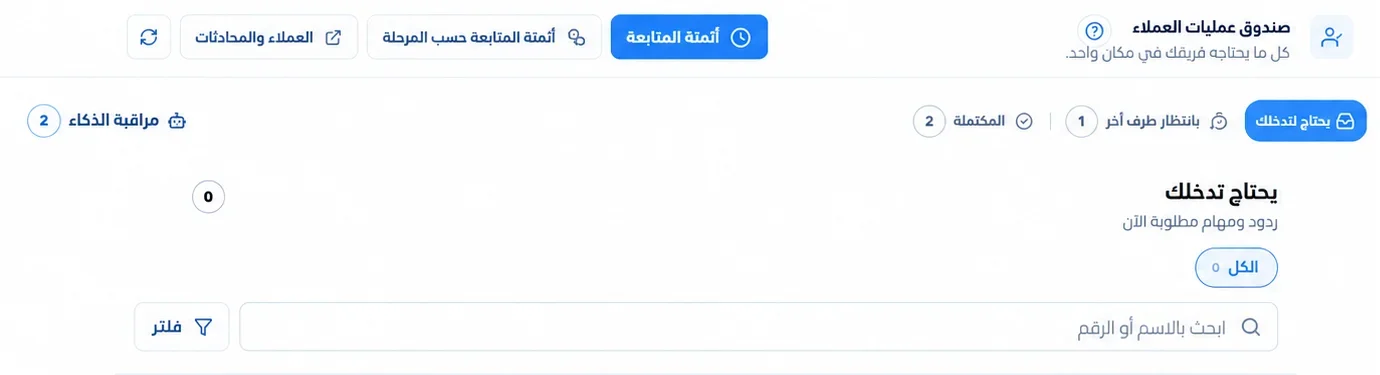
Shipment tracking itself is the job of your store system and shipping company, and Mr. AI is not a shipment-tracking tool. What it helps with: answering "Where is my order?", "When will it be delivered?" and "Can I change the address?" from your company information and policies, following up based on your rules, and summarizing problem cases (2 points per summary) and handing them to your team with the record. Your team can take over any conversation. What stays with your team: the real status of the shipment, your contact with the shipping company, and the decision on exceptions.
Replies cost 1 point and follow-ups 1 point; Starter is EGP 1,100 per month (1,300 points). Details are on the pricing page, and if you are comparing support tools see customer service software in Egypt.
Frequently asked questions
Should I send an update at every stage?
No. Send when there is new information the customer cares about: receipt, dispatch, delay, delivery.
Does Mr. AI track the shipment by itself?
No. It answers from the information you have and hands exceptions to the team. Live shipment status comes from the shipping company.
Where do I start?
Review 25 past orders: the last confirmed status, the message that should have been sent, and whether it arrived on time.
If your main gap is answering customer questions and following up, try Mr. AI as if you were your own customer.